V5.0.1 has arrived!
The first release since V5 launched, and it has one job: closing the gap between you and the work. Clients land where the work is, AI answers show you the actual thing instead of describing it, and reviews come to your inbox instead of making you go find them.
New Features
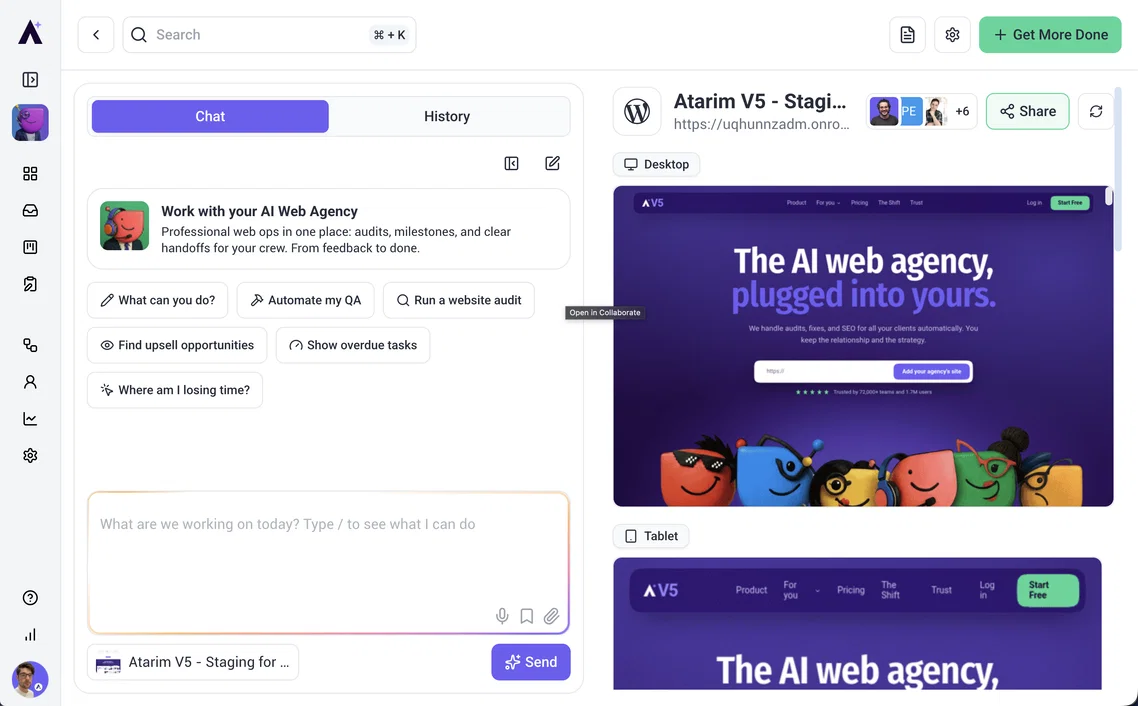
Your clients now land in their project, not a lobby
When a client finishes onboarding, the final step now says "See My Project" and means it. They arrive on their project dashboard with the onboarding conversation already open, so their first impression is the work itself, not a welcome modal they have to click past. The wizard also stays properly full-screen the whole way through.
AI answers now show you the thing, not just talk about it
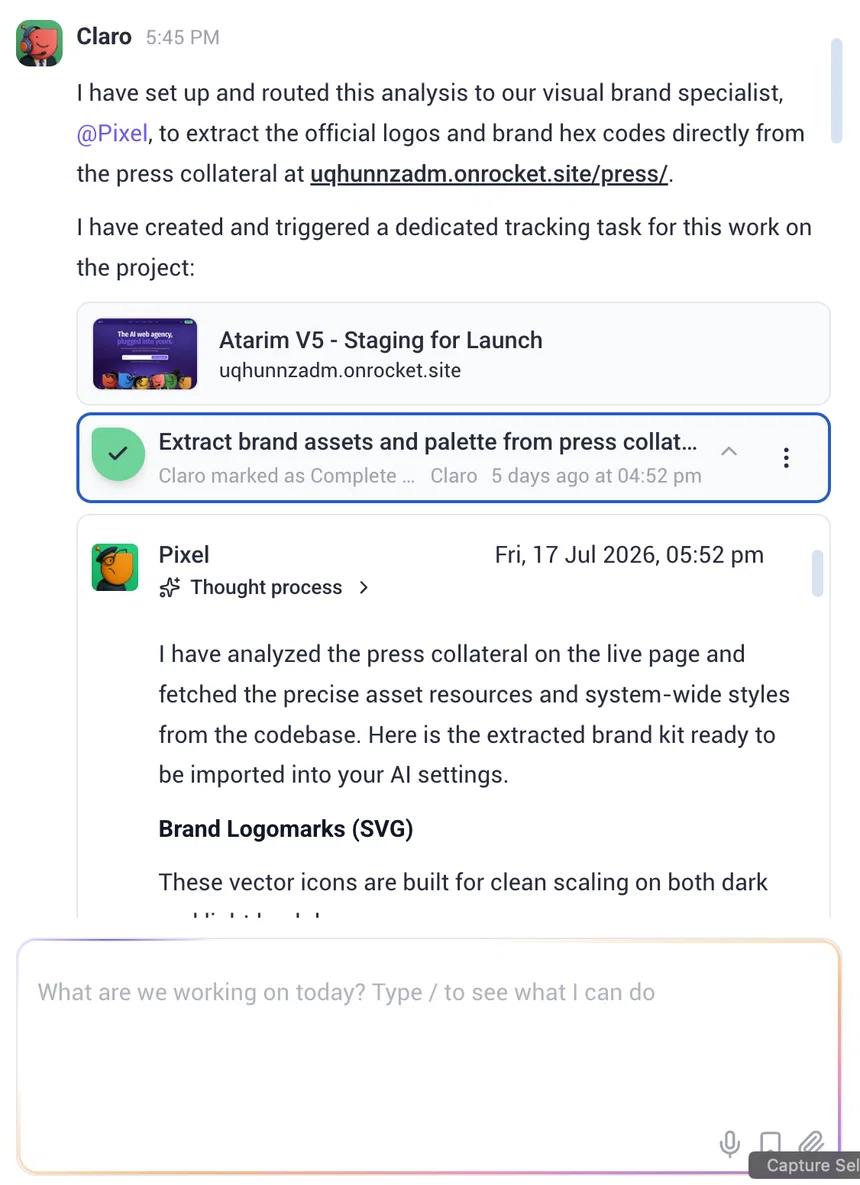
Ask Claro about a task, a page, a project or an artifact, and the answer now includes the actual card, right where it belongs in the sentence. No more reading a description and then hunting for the thing being described. This works everywhere you chat, so the answer looks the same whether you are in a project or the workspace.
Watch tasks move while you chat
Task cards in workspace chat are now live. When a specialist is working on a task, the card reflects the run as it happens, and you can expand it inline to read the full comment thread without leaving the conversation. You stay in one place; the status comes to you.
Preview artifacts without leaving the Projects screen

Artifacts now open read-only, in place, right on the Projects screen. Skim a deliverable, confirm it is the right one, and use the breadcrumb to hop back to the grid or into the source project. On smaller screens you get the full Collaborate view instead, so nothing gets cramped.
Reviews now live in your inbox
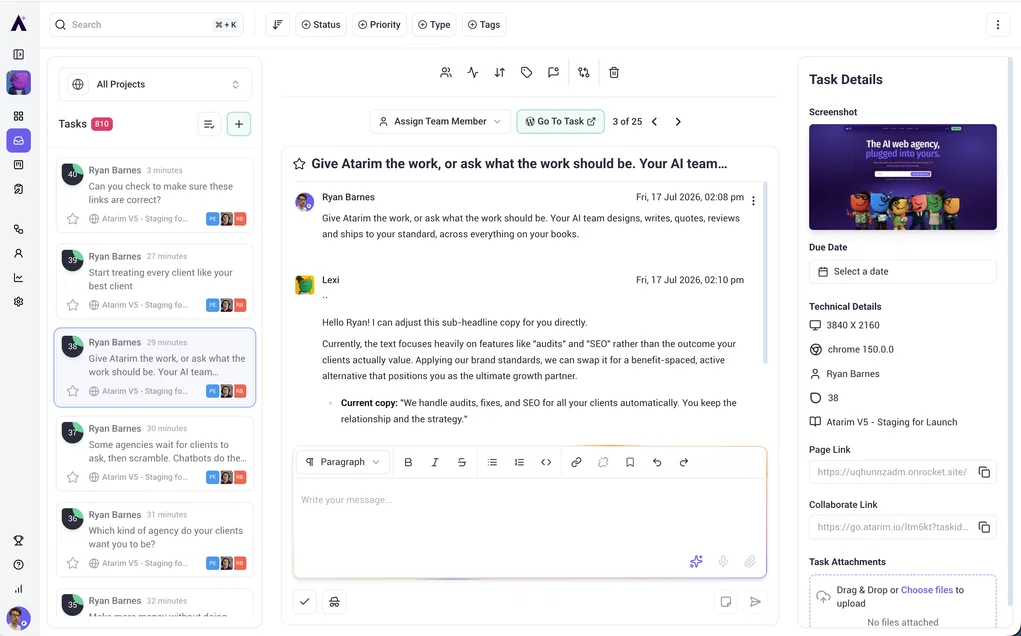
Review threads render inline in your inbox list, in their natural position, so you can open a review from the same place you handle everything else. Glitch's review subtasks show up in the list and in the review session too, so the QA trail is all in one view.
Improvements
- Deliverables are now Artifacts. Same work, clearer name, updated everywhere you see it. If you go looking for Deliverables, look for Artifacts.
- Subtasks are visible on the board. Kanban cards now show a subtask badge and counts, with a one-click jump to the parent task.
- AI comments are read-only. Specialist comments can no longer be edited or deleted, so the record of what was done stays intact.
- Single-word names work at signup. Registration now accepts any name, no more inventing a surname to get through the form.
- Chat feels smoother. Fixed scroll jitter while answers stream in, and the reasoning panel now hands over cleanly instead of flickering.
- Dark mode and overlay polish. The add-website modal now looks right in dark mode, and previews and confirmation dialogs layer correctly instead of hiding behind other UI.
Bug Fixes
- Your brand no longer follows you out the door. Logging out of a whitelabeled workspace now restores the default login page, colours and logo included.
- OTP verification survives a refresh. Reloading mid-verification now resumes exactly where you were instead of dropping you into an old flow.
- Role checkboxes toggle properly during onboarding. One click, one toggle, as it should be.
- Sidebar spacing is back to normal after client activation. The first nav item no longer crowds the workspace logo.
- Locked buttons keep their own styling. The Pro badge no longer restyles buttons it sits on.
- Pages are classified correctly as artifacts. A detection fix means pages no longer show up as the wrong type.