Atarim Changelog

Find out what's new inside Atarim, what bugs we've squashed and highlighted features you should check out!

  1. A bunch of Quality of Life new features and a bunch of Bug Fixes (4.9.5 + 4.9.6)

    New Feature
    Improvement
    Fix

    As we kick off the year the team is already cooking!

    Many of these were specifically requested by you! Thank you and keep it coming💪

    New Features:


    Upload Files for AI Reviews

    You can now upload up to 5 files to ask the AI to reference or check against when running an AI review. This is great for compliace checks and quick QA before shipping the work.

    In this example, I uploaded 2 files

    • Figma design as an image
    • PDF document with content for the page

    And asked the AI to find any mismatches between the uploaded files and the current page:

    File Uploads

    Due Dates on Tasks

    Highly requested feature by our awesome community.

    You can now set a due date for each task and see a badge in the sidebar (as well as in our Inbox and the Kanban Boards) that changes color as it gets closer to the date.

    Due Dates

    Change Tasks Titles

    You can now update the titles for your tasks directly inside the Inbox and Kanban Boards.

    Update Titles


    Bulk Actions for Emails

    Inside your Email inbox, you can now select multiple emails and perform bulk actions like changing statuses, priority, adding tags, bookmarking and delete.

    Bulk Actions Inbox

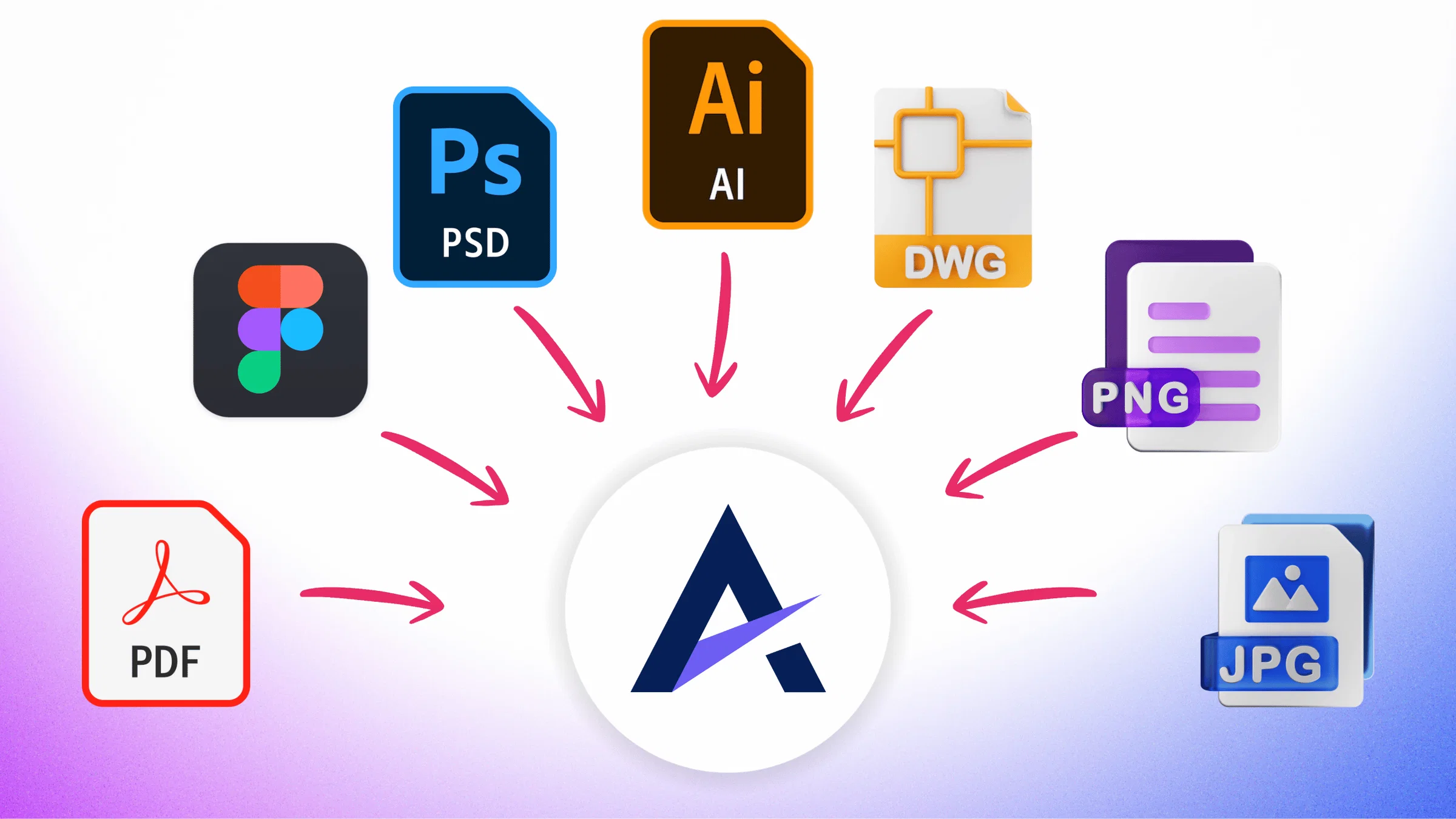
    Bonus: Upload PDF, AI, PSD, and DWG (AutoCAD)

    This is preparing us for the release of the new Grpahics Feedback tool.

    You can now upload PDF, AI, PSD, and DWG (AutoCAD) in addition to JPG and PNG to collect feedback. I'll talk about this more in the upcoming big release of the Graphics Feedback tool 🚀


    Improvements to existing features

    • A few UI Improvements to the Inbox.
    • Inside the Workflow builder - we Improved the Teamwork integration trigger experience.
    • Polished the task creation notification settings UI to better match actual behaviour.
    • Tidy dark/light mode inconsistencies for a more polished appearance.
    • In the inbox, we improved the assignment of emails to projects.


    Bug fixes

    • The Sharing link on the Chrome extension what's working for some users. Fixed!
    • Canned Prompts/Responses modal was not loading properly. Fixed!
    • Improved the reliability of the embedded script.
    • Tasks now show the latest comment in the hover preview. Rather than the first comment.
    • Screenshot annotations sometimes included the Atarim UI in the screenshot on slower machines. Fixed!
    • Inside the Workflow builder - the Slack integration wasnt working as expected. Fixed!

  2. Atarim <> Figma Plugin

    New Feature

    Introducing: Atarim Figma Plugin (v1)

    We're excited to share the highest requested integration we've had so far!

    You can now import designs into Atarim directly from Figma.

    • Depth: If you like Figma comments - now they're on steroids with the advanced controls Atarim brings to visual collaboration (add dozens of designer+client focused features to the visual collaboration comments you're used to using).
    • Centralisation: No more losing rogue comments inside Figma. As you move your feedback process into Atarim, you can manage all the requests using our boards and inbox so nothing falls between the cracks.
    • Version Control: See how many revision rounds it took each part of your design to get there within the graphic collaboration tool.

    Install the plugin here: https://www.figma.com/community/plugin/1550142329140770298

    2

  3. New: Set "Time Delays" for actions in your feedback Workflows & Bug Fixes (ver 4.9.3+4.9.4) - First Release of 2026 🚀

    New Feature
    Fix
    Improvement

    Happy New Year! 🎉

    While 2025 established the basis of our AI review/QA agents, 2026 is when the vision will all come together.

    We're just getting started and we're all very excited to keep serving design teams and creatives for yet another year of innovation and growth for us all 💜 🚀

    New: Time Delays in Workflows

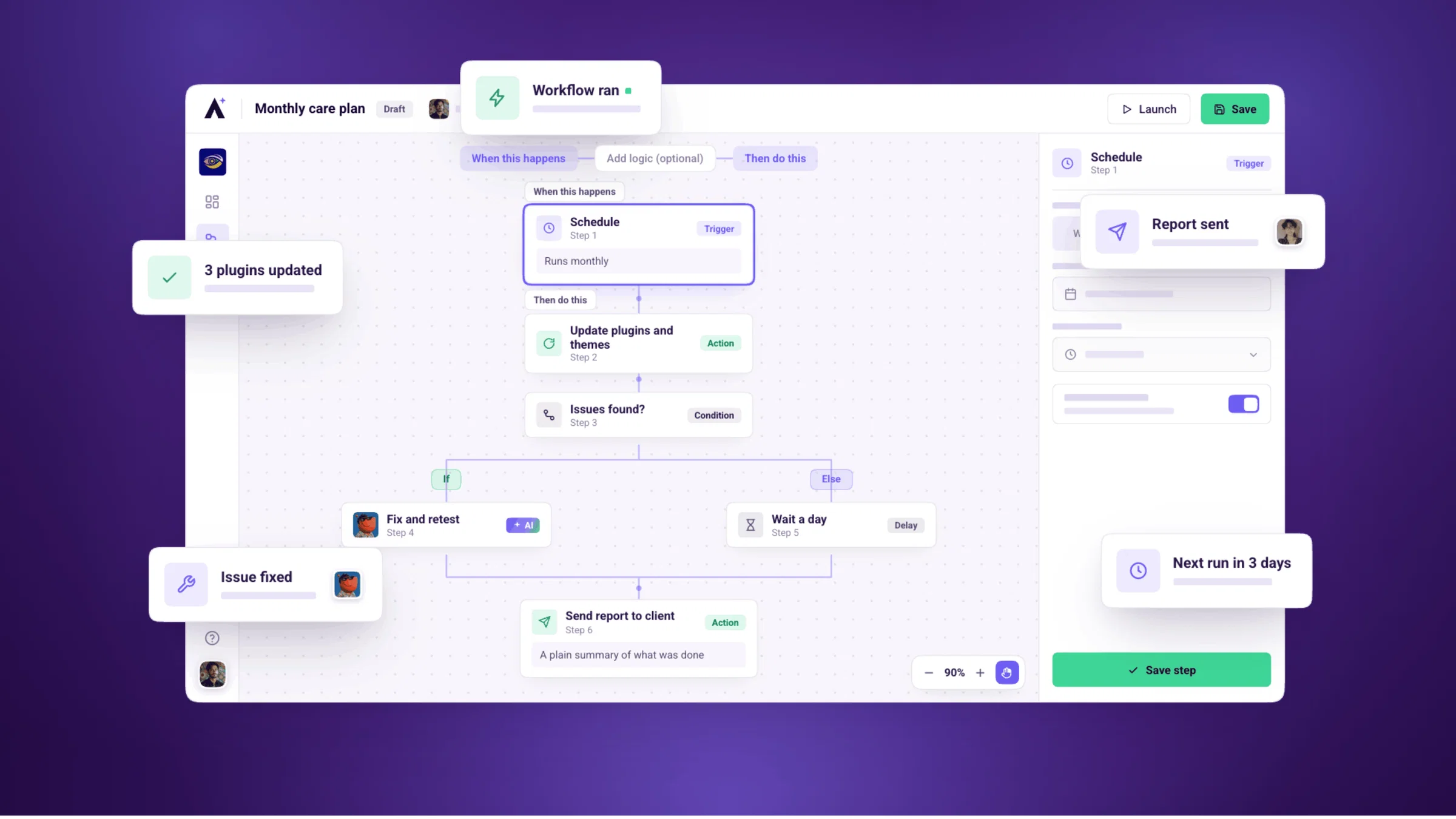
    A highly requested feature from our Labs is now live (Vote and suggest future features here)! You can now create more detailed workflows to manage feedback here are 3 cool examples:

    • Escalate tasks that havent been actioned in more than X days/wees
    • Send scheduled reminders using Tags
    • Add a follow up comment if no response was given
    TimeDelay

    Bug Fixes

    • Better Inbox Previews: Uploaded images now display correctly in the inbox, making it easier to identify files at a glance.
    • Smoother AI Guidelines: Fixed an issue where the AI Guidelines textarea would lose focus with every keystroke - editing is now seamless.
    • Signup Compliance Fix: The Terms and Conditions link on the signup page has been restored and is now fully functional.
    • Task Popover Elements: Fixed some broken popover components to ensure all interactive elements work as expected.
    • Intake Forms: (Enterprise Only) Resolved an issue where the “Prev” button in form navigation wasn’t rendering properly, improving flow for enterprise users.
    • Live Chat Streamlined: The Live chat button is now hidden by default inside the dashboard - it only appears when opened from the Help sidebar or modal, reducing distractions.


  4. 🎁🎄💝 Atarim AI in Chrome Extension, WordPress Plugin and On any site with a script + Comment Reactions & Bug Fixes (ver 4.9.3+4.9.4)

    Improvement
    Fix
    New Feature

    Massive update this week!

    Atarim AI is rolled out to all of our web collaboration methods and soooo much more.

    download (8)

    Chrome Extension


    ✅ Install the new extension here: https://chromewebstore.google.com/detail/atarim-visual-website-col/ekpmbeilnaahlccpgjchjjoonecikehf?hl=en

    Use Atarim for team and AI collaboration on ANY website on the web.

    • Better reviews context: More accurate on site screenshots and code source.
    • Work inside logged in experiences: For web pages behind login access or security blockers.
    • Grab screenshots into Grpahic projects: Ideal for dashboard screens with multiple states, modals and UGC.
    • Ideal for team collaboration: We recommend that every team member within your itnernal team install the extension for the best experience.

    Note: Clienst and Guests can still receive a link and provide feedback without needing to install anything on their side.


    WordPress Plugin

    ✅ Install the new plugin here: https://wordpress.org/plugins/atarim-visual-collaboration/

    Get and give feedback, with AI, team members, and clients - seamlessly in WordPress.

    • OG plugin, rebuilt for 2026: Years ago we started as a WordPress plugin so great to keep pushing the limits for WP collaboration and feedback. Rebuilt from the ground up in ReactJS to fit modern WordPress standards and matching features across the different Atarim collaboration tools.
    • Auto login to WordPress with 1 click: Select the WordPress users in the settings screen to enable. When going to the project from Atarim, we will log you (or your teammates) automatically to the WordPress site.
    • New Share Link: Enable collaboration via link, or add "collab=true" to any URL on the site. (e.g. https://example.com/page-name/?collab=true )
    • Cleaned up WordPress settings screen: In line with modern WordPress standards and centralising your project settings inside your Atarim dashboard.
    • AI Agents now live inside your website: Enabling all existing Atarim AI features and preparing to integrate to WordPress Abilities API, for some magical stuff coming.

    Embedded Script

    ✅ Install the new script here: https://app.atarim.io/



    Highly requested and FINALLY here! Add a small script to any website to collaborate.

    • Drop a script into your Shopify, Webflow, Wix, Framer, GoHighLevel and any other website, including custom coded builds.
    • Ideal for Team + Client/Guests collaboration: Work within your own domain, behind logged in enviorments and on the go, without the scraping issues and security blockers of the quick "drop a url" experience.
    • New Share Link: Enable collaboration via link, or add "collab=true" to any URL on the site. (e.g. https://example.com/page-name/?collab=true )
    • AI Agents now live inside your website or web app: Enabling all existing Atarim AI features and preparing to integrate to WordPress Abilities API, for some magical stuff coming.

    Bonus round: Comment Reactions

    Bonus round: Comment Reactions


    Highly requested feature. You can now add 5 different reactions to any comment.

    For AI generated comments, we're also leveraging this feature to undertand your satisfaction with the AI results by tracking each of the reactions.

    CommentReactions

    Bug Fixes

    Projects Screen fixes

    • List View: Updated styling for the list view to fix items with broken styling.
    • Project Thumbnails: Fixed an issue where graphic project thumbnails were missing.

    Team Screen fixes

    • Admin Access Revocation: Resolved a bug where the revoke access option was not available for admins.
    • Improved Loader: Fixed the skeleton loader for projects inside the "assigned projects" tab, ensuring updated cards display correctly.

    Collaboration Screen (in a project)

    • Share Notes: Sometimes notes we're not included in invite emails sent from inside the Collaboration Experience screen Share Modal.
    • Add Pages to Project: The "Add a page" button was pushed off screen sometimes, this is now fixed.

    3

  5. Enhanced AI, Improved Performance, and Bug Fixes (4.9.1 & 4.9.2)

    Improvement
    Fix

    InnerCircle Action Shots (1)

    This release focuses on stronger AI reviews, smoother collaboration, more reliable branding, and a cleaner end-to-end experience across Atarim.

    Here’s what’s new:


    🤖 AI Review Improvements

    • Clearer, more accurate AI screenshots - AI reviews now avoid over-scrolling at the bottom of long pages and include a stabilizing delay between frames. This prevents blurred or cut-off screenshots.
    • Better guidance before running AI - If your page has cookie banners or pop-ups that may block the view, Atarim now warns you before the AI review begins — helping you get clean, usable results every time.
    • More reliable AI restriction behavior - Switching browser tabs no longer interrupts AI-related permissions or settings.
    • Refined onboarding for first-time AI usage - Updated tutorial language makes it easier to understand how AI reviews work from the very first run.

    📱 More Accurate Responsive Feedback

    • Mobile + tablet context added to general tasks - Tasks now correctly capture and display screen dimensions across all device sizes. This ensures your team always knows where the issue occurred.
    • Stable scrolling + no UI drift during annotation - Stickers, markers, and toolbars now stay fixed while you scroll, avoiding the “floating” or “jumping” behavior some users previously experienced.

    UX & Interface Polish

    • Cleaner, readable toast messages - Long notifications now wrap and display properly — no more clipped or awkwardly formatted messages.
    • Fixed layout jitter after screenshot annotations - The bottom bar and sidebars stay in the right place so your workflow feels smooth and predictable.
    • Resolved text overflow in the activity feed - Longer updates no longer distort the page layout.
    • Project titles visible again in folder creation - When adding a project to a folder, you now see the full project name as expected.
    • Task stickers no longer incorrectly switch to “complete” - Moving a sticker won’t trigger the wrong status in visual collaboration.
    • Internal Tasks now use the correct sidebar icon - Bringing consistency to task controls across the UI.

    🏷️ Branding & White-Labeling

    • White-labeling fully restored - Custom branding now correctly appears across collaboration views, email notifications, and other user-facing surfaces.
    • Updated social metadata - Enhanced OpenGraph + new Twitter Card tags ensure links shared from Atarim look polished and on-brand.

    🔐 WordPress Plugin Security & Reliability

    We delivered multiple hardening updates to keep your sites and workflows secure:

    • Improved authorization & license-activation validation.
    • Better access control for internal API endpoints.
    • Stronger validation for media upload requests.
    • More secure handling of user-related data.
    • Reinforced token authentication between WP sites and the Atarim platform.
    • Updated selectors for improved compatibility with modern WordPress themes.

    All part of ensuring Atarim remains fast, safe, and stable inside WordPress.


    🧩 Collaboration & Workspace Flow Fixes

    • Google sign-up hidden where it doesn’t apply - Reduces confusion during collaborator onboarding.
    • Client registration note no longer visible to collaborators/guests - Keeping private notes private.
    • Default account selection now triggers properly - Prevents accidental workspace mis-assignments.
    • Inviting existing users during workspace creation works again - No more dead-end onboarding paths.
    • Upgrade modals now close automatically after successful payment - A smoother, clearer upgrade experience.
    • Discovery Wizard more reliable - Improved URL checks using HEAD requests.

    🎯 In Progress (Rolling Out Gradually)

    Some polish items are being phased in and may appear during the next few days:

    • Activity feed text overflow refinements
    • Upgrade modal behavior improvements
    • Workspace user-invite reliability adjustments

    2

  6. Self Prioritising AI Tasks, AI Stability & Depth and Quality of Life improvments. (4.9.0)

    New Feature
    Improvement
    Fix

    We’ve rolled out several updates focused on AI-powered workflows, performance boosts, and collaboration clarity. Here’s what’s new 👇

    🌟 AI Experience Upgrades

    • Smarter AI Priority Suggestions - When the InnerCircle AI Agents create AI tasks, they now set task priorities automatically based on complexity and impact (impact is defined by your prompt - what you're trying to achieve) — helping you triage faster and stay focused on what matters most.
    • Stop Button for AI Actions - You’re in control. A new “Stop” button lets you instantly halt long-running or unnecessary AI operations, giving you more flexibility and confidence while using AI tools.
    • Device Context in AI Tasks - Tasks generated by AI now show a small device icon (desktop, tablet, mobile) so you can instantly see where feedback originated. Great for responsive design reviews!

    Performance & UX Improvements

    • Collaboration Experience optimisations - We've upgraded the frontend preparing for our upcoming Chrome, WordPress and Custom Sites implementations. The result - faster loading, and more stable experience on frontend heavy websites.
    • Improved Page Titles in Inbox & Boards - You’ll now see clear page titles in both Inbox and Board views, making it easier to recognize and navigate to the right tasks in seconds.
    • Sharper Meta Descriptions & OG Images - Cleaner metadata improves how Atarim content appears when shared.

    🤝 Collaboration Enhancements

    • Automatic Tags from Shared Links - You can now add ?tags=_____ to the URL of collaboration boards, Atarim now automatically applies the relevant tags into each task created during the session. Organization made effortless. (Pro Tip: Build custom Workflows using the new tags you set).
    • Improved Invite Flow for Team Members - Fixed an issue where the wrong signup modal sometimes appeared. Inviting teammates now feels seamless and reliable.

    🧑‍💻 Access, Roles & Permissions

    • Safer Admin Controls - Account owners can now revoke admin access — ensuring better security and workspace control. Admins can no longer remove other admins.
    • Accurate AI Chat Permissions - The AI chat toggle now correctly reflects collaborator access — icons and entry points appear or disappear based on actual permissions.

    💅 Design & Pricing Clarity

    • Consistent Role Naming Across the UI - Role labels now match between profile previews and dropdowns — improving clarity and trust in your team setup.
    • Better Pricing Page Copy - We’ve rewritten pricing descriptions to clearly explain seat counts, team add-ons, and limits — making billing simpler to understand.
    • Figma Plugin (Coming VERY Soon) Aligned with Latest Design System - Our design components were rebuilt for smoother collaboration and visual consistency between Figma and the live product.

    ⚙️ Settings, Workspaces & Customization

    • Cleaned-Up Workspace Settings - Outdated rows and UI clutter were removed, streamlining the experience when managing workspace names and configurations.
    • White Label Custom CSS Restored for Forms (Enterprise Only) - Your custom-branded form styles now render perfectly again — giving full control over the front-end appearance.

    👥 People & Team Management

    • Add Team Member Modal Upgrade - Adding new teammates is now faster and more transparent, including a cost preview when exceeding plan limits and quick link options for easy sharing.

    🤖 AI Reviews & Visual Polish

    • Faster AI Data Processing - The AI viewport structure has been improved for more efficient performance when analyzing or reviewing tasks.
    • Refined AI Review Overlay - The swiper overlay is now less intrusive — keeping content readable while maintaining helpful training cues.

    🐞 Fixes & Reliability

    • Resolved Workspace Switch Error - Fixed the intermittent “Oops, something went wrong” error when switching between workspaces.
    • Chargebee Checkout Clarity - Payment errors (like seat limit exceeded) now show clear, actionable messages during checkout.
    • Workspace Icon Updates Instantly - Icons now refresh correctly after switching workspaces — no page reload needed.

    What's Next?!

    We're cleaning things up before the end of the year.

    The main goals this month:

    • Release v1 of our Figma plugin. Which will tie into the upcoming Designs Collaboration experience.
    • Introduce the AI features to our WordPress plugin, Chrome Extension and Custom Sites script.
    • Rebuilt Design Collaboration experience - Cleaner UX, more control and most importantly, unlocking multiple file types like PDFs, PSDs, AIs, and Figma designs.
    • Cleaning up the Guest/Clients experience with some awesome user feedback we received🙌🤘

    Speak soon!

    3

  7. Smarter, Subtler AI - November 2025 Release (4.8.8)

    New Feature
    Improvement
    Fix
    Friday Update 21.11.25-short2

    This update refines how AI works behind the scenes - making it less intrusive, more contextual, and fully under your control. Alongside some helpful fixes, we’ve polished the collaborative experience to reduce clutter and boost clarity.

    New Features

    AI Tasks Are Hidden from Guests & Clients by Default

    Tasks created from AI suggestions (via "Keep") are automatically hidden from guests and clients. You can expose them by clicking the eye icon on the task.

    Improvements

    • Collapsible AI Feedback in Sidebar: New <details> sections in the sidebar chat are now styled as intuitive accordion menus - no more walls of text.
    • Visual Indicator for AI Tasks: A small AI icon now appears on task stickers, helping your team quickly identify which tasks came from AI.
    • Email Autofill on Atarim Links: When an Atarim collaboration link includes a user’s email, the sign-up modal now pre-fills it automatically.

    Bug Fixes

    • Fixed: Page wide AI issues weren’t disappearing after clicking “Keep” - now they vanish as expected, no refresh required.
    • Fixed: AI settings inside the Reviews and Chats weren’t saving correctly. Discovery notes and preferences now stick.
    • Fixed: Invites from additional workspaces didn’t appear in the Pending tab. They now show up consistently.
    • Fixed: Uploading icons to new workspaces was broken - this now works as intended.
    • Fixed: Browser icons in technical details shrank when the accompanying text was too long. They now keep their proper size.

    These updates continue our mission to reduce friction across your workflow, whether you’re working solo or leading a team.

    And yes - your AI teammates (Inner Circle) are all getting better, faster, and more helpful every week. 🙌🤘

  8. 4.8.3 is LIVE - Small fixes and functionality updates

    Improvement
    Fix

    Following the successful release of Atarim AI, we’ve been gathering user feedback and refining the experience to make it faster, more reliable, and aligned with real-world use. This update focuses on improving stability and workflow consistency across AI-driven reviews and workspace settings.

    Improvements

    • AI page reviews now create internal tasks instead of public ones, ensuring better privacy and internal collaboration.
    • The speed of viewport scanning has been improved, something we are continuing to refine and optimize based on user feedback.

    Bug Fixes

    • Fixed “Keep” not working for AI issues on certain pages.
    • Fixed resetting whitelabel settings not functioning correctly.

  9. 🔍 Page Review — Strategic AI Feedback, Powered by Your AI Team Members

    New Feature

    Ai Review

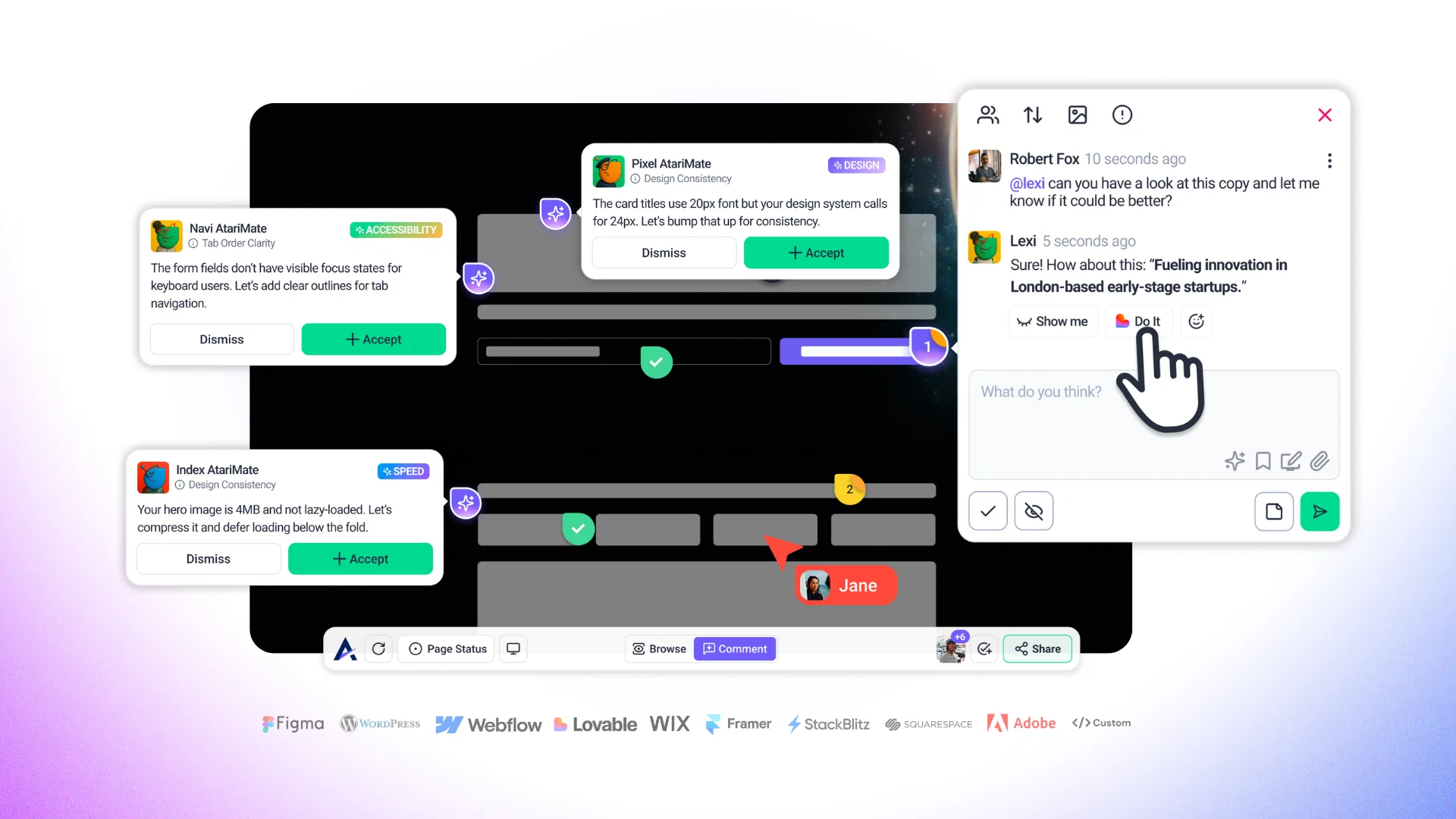
    Triggered directly from the sidebar, this feature provides a holistic, high-level analysis of a page’s content, structure, design, UX, SEO, and more. It’s like getting a full review session from a cross-functional team — in seconds.

    👥 Meet Your AI Team:

    • 🤖 Claro – Clarity & Strategy LeadProvides a big-picture overview based on your brand intent. Claro helps you see what’s working, what’s not, and how to bring clarity to your entire page experience.
    • 🟣 Pixel – Design & UI ConsistencyDetects spacing issues, inconsistent components, misaligned elements, and off-brand styling — ensuring visual consistency across your interface.
    • 🟢 Navi – UX & AccessibilityHighlights problematic flows, low-contrast elements, poor tab navigation, and usability friction points. Great for catching what might confuse or block users.
    • 🔵 Index – SEO & PerformanceChecks for missing metadata, broken or heavy images, slow-loading components, and poor page structure that can hurt discoverability and load times.
    • 🟠 Lexi – Content & ReadabilityFocuses on the tone, structure, and clarity of your copy. Suggests improvements to headings, CTAs, button labels, and microcopy for better engagement.
    • 🔴 Glitch – Functionality & Broken LinksSurfaces broken buttons, console errors, misfiring links, and unresponsive components that might break your user experience.

    ⚙️ How It Works:

    • Triggered from the AI sidebar on any page
    • Choose your intent (e.g., "Increase conversions" or "Client review")
    • The AI team assesses the page in context of your intent and brand guidelines
    • Each team member provides specific, actionable feedback
    • You receive a strategic overview, plus individual suggestions on the page itself through our task stickers (UI, UX, SEO, content, and more)

    💡 Why It Matters:

    This feature is designed to eliminate bottlenecks in review cycles. Whether you're a designer needing a second eye, a project manager prepping for a client review, or a QA tester doing the final check — Page Review empowers you with instant insights and clear next steps.

    Say goodbye to endless back-and-forths and hello to fast, focused, and strategic feedback.

  10. 💬 AI Chat — Talk to Your AI Team, Right on the Page

    New Feature
    Ai Chat

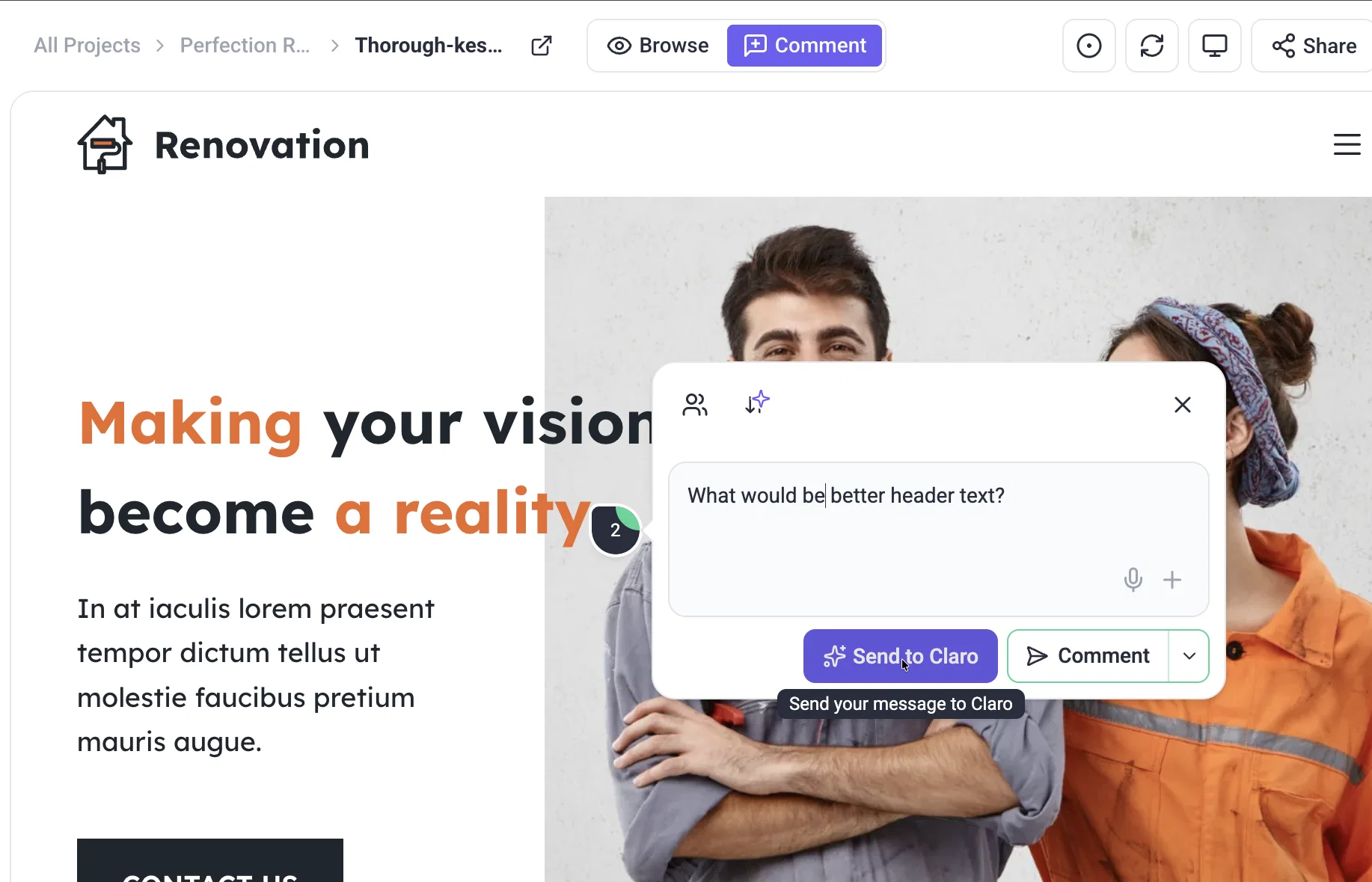
    You can now chat directly with the AI inside any task — whether it's feedback from a client, a suggestion from your AI Team Members, or just a note from a teammate.

    This isn’t a generic chatbot — this is a context-aware assistant, tuned into the specific element you’re working on and empowered by your brand guidelines and intent.

    🧠 How it works:

    • Open a task on the page.
    • @mention one of your AI Team Members (e.g., @pixel, @lexi, @navi)
    • Ask a question like: 👉 “@pixel, how can I make this section more visually aligned with my brand?”👉 “@lexi, can you rewrite this CTA to be clearer?”
    • The AI reads the task, your brand context, and the page — then responds with targeted, actionable suggestions

    You can also ask the AI for:

    • 💡 Copy improvements
    • 🎨 Design tweaks
    • 🧠 Strategy suggestions
    • 🧪 UX feedback
    • 🔍 Microcopy fixes
    • Anything you can think of!

    💡 Why It Matters:

    Instead of switching tools or trying to brief the AI with a wall of text, you can now just point and ask — directly in the task, using plain language. Whether you're refining a CTA, improving a form, or aligning a section to brand voice, the AI becomes your:

    • Copywriter
    • UX reviewer
    • Brand guardian
    • Creative collaborator

    It’s fast, contextual, and built into the flow of your real work — not a separate process.