Atarim 5.1.4: your AI team proposes, you approve, from anywhere
Most client questions don't wait until you're at your desk. Now neither does the work.
Hand a specialist a change to a live page and it comes back as a draft with a preview link. Nothing goes live until you say yes. And Atarim now works on your phone and tablet, and installs like an app, so you can keep up with the work wherever you are. That's what this release is for.
AI updates
Changes to live pages come back as drafts first
Since 5.1.3, new pages from Pixel arrive as drafts.
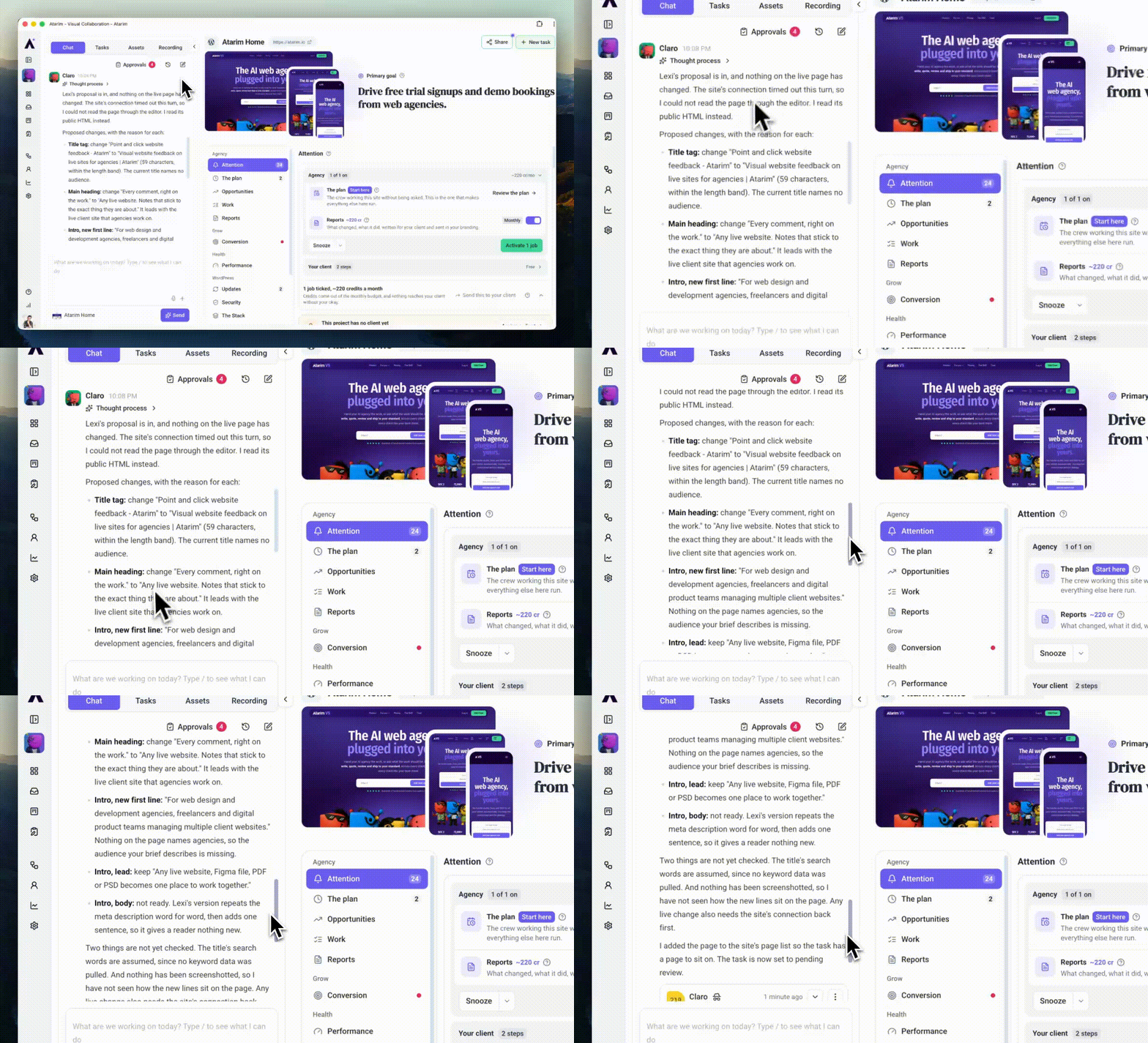
Now the same goes for changes to pages that are already live. Hand a specialist a problem and the fix comes back as a proposal on a draft copy, with a preview link, while the page your visitors see stays exactly as it is. The task waits in Pending review until a person closes it.
We tried it on a client contact page that didn't say how quickly people would hear back. Pixel put one line on a draft copy, matched it to the grey of the intro above, and noticed the rest of the page is written in the first person, so he offered that wording too. The live page wasn't touched.
Example prompt:
The Contact page doesn't say how quickly people will hear back, so some of them email twice or ring instead. the client replies to every enquiry within two working days. Can you take a look at this?
When you're happy, say so. We replied "do it now" and Pixel went for the live page, and the change still waited in the approvals queue for one last click. Nothing reached the site until a person said yes.
Ask Claro for advice instead of a change and nothing is written at all. A question about a page nobody finds in UK searches went to Index, who measured rankings on the site's real domain, said which domain he'd measured, and came back with a new title, description and heading, plus one question to settle first: the site never says it sees UK clients.
Example prompt:
The homepage isn't bringing in enquiries from people searching in the UK. Get the right specialist to look at the page title, heading and intro, and tell me what they'd change and why.
Reports your client can trust
- Numbers come from the record. A client report takes its figures from verified facts about the site, and the finished page is checked against them. Earlier AI writing is never treated as a source.
- A check that couldn't run says so. A report built from several specialists waits for all of them, and a check that was blocked shows as not done.
- Your brand, on every screen. Reports keep your brand font and are checked on desktop as well as mobile.
- Your name on the work. No client deliverable names Claro or a specialist as its author.
Smaller AI changes
- Backups stay put. The update round reads the restore point first. If the server's disk is full, the round stops until someone frees space, and it never deletes a backup to make room.
- One owner per task. A task belongs to a person or to an AI expert, set when it's made, so assigning it later no longer stacks two owners.
- Files you attach in chat reach the expert, and screenshots show while Claro works.
- Four workflow templates got smarter. The weekly blog post checks its own SEO title and description. The monthly care report covers every task in the month and uses your agency's fonts. The update round looks at real screenshots of the pages it changed. The weekly opportunity workflow checks what you've already offered the client, so it stops pitching the same work twice.
- A failed restore point says why.
- A design review that fails says so instead of sitting on "in progress".
New features
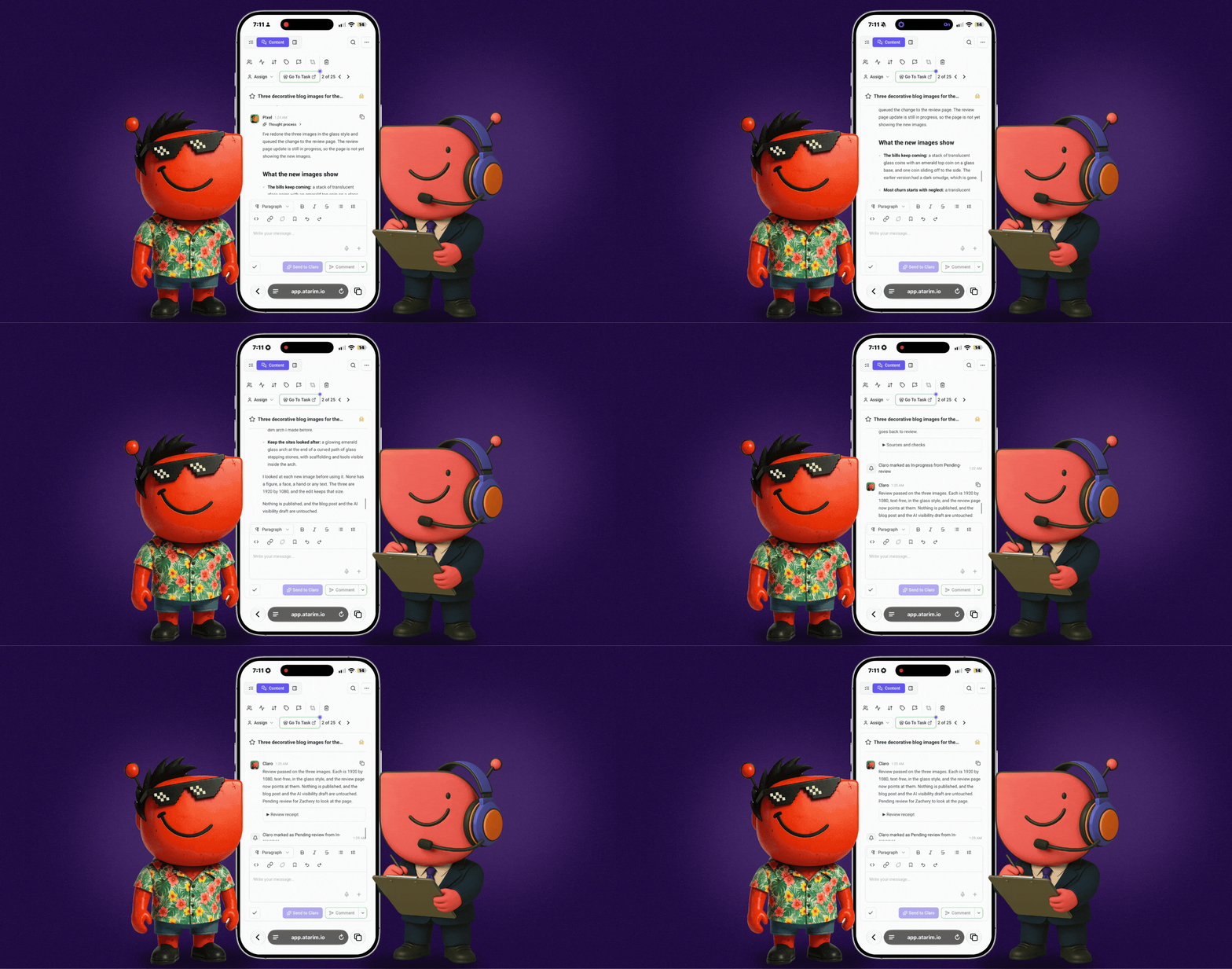
Every main screen, built for your phone and tablet
Projects, the Inbox, Boards, Workflows, Settings and People each have their own layout below laptop width. The side menu folds into one menu at the top, each screen's sections become tabs, tables become cards you scroll through, and pop-ups open full screen so nothing is cut off. On a tablet on its side, you keep more of the desktop view.
- Inbox: Tasks, Content and Details sit in tabs at the top, and a task opens full screen. Search and filters are one tap away.
- Boards: Projects, Pages and Tasks move into the top bar. The Backlog starts tucked away and slides over the board when you open it, and a task opens as a full page.
- Projects: a list view that fits a phone, search and filters at the top, and your client's details through tabs inside a folder.
Sign-in fits every screen too. Your clients' white-label sign-in and loading screen carry your mark at every size, with no Atarim branding.
Install Atarim like an app
In Chrome or Edge, choose Install, or Install app in the sidebar, and Atarim opens in its own window with its own icon, with shortcuts to Projects, the Inbox, Boards and Workflows. On an iPhone, add it to your home screen and it opens full screen.
If you lose signal, you see a clear "you're offline" message instead of a broken page.
Every run of one workflow, in one place

In Workflows → Manage, each workflow now has view runs. It opens the Runs tab showing only that workflow, with a chip you can clear to see everything again. The filtered view has its own link, so you can send it to a teammate. Open any run and you see every step in order, with what it did and how long it took.
Improvements
- Runs say why they stopped. A run held back because the month's credits are used up is now recorded as that, and is no longer counted as a broken workflow. Each run also links to the task it created.
- Automated emails that bounce fail the run, so a step that never sent can't show as sent. Automated replies now carry your mailbox signature as well.
- Long email threads are easier to read. Quoted history in an Inbox email folds behind a "..." toggle, the way your mail app does it. Thanks to the hosting partner who asked for this one.
- Your admins can work email tasks. Admins on your team can change the status and details of an email task, not only the mailbox owner.
- Approvals don't wait forever. One nobody answers now expires instead of sitting in the queue.
- If you've switched on V5: files you attach in chat stay with the conversation and go with the work when Claro hands it to a specialist, a reply that stalls times out instead of hanging, and Claro tells you when a design review he started didn't begin.
- Settings stays put. Opening Integrations no longer signs you out when your Asana or Monday connection has expired.
- Clearer answers when something isn't connected. Hosting accounts and Google services that aren't set up say so, instead of showing an error.
- The app keeps going after one failed request. A single request that fails no longer stops the rest of the app updating until you reload.
- Editor buttons have names that screen readers read out.
Bug fixes
- Workflows. A workflow you save as a draft stays a draft until you launch it. A subscribed workflow keeps the schedule and projects you chose, including when the template updates. Manual runs are no longer labelled "On schedule", and a run with a wait step no longer shows a step stuck on running.
- Billing. Checking out after a cancelled plan works.
- Client invitations. They carry your logo, including for agencies that only set a brand colour, keep it when re-sent, and show a working button and footer link. Share and invite emails from the plugin keep your branding. Workspaces that never set up white label are no longer treated as if they had.
- Your team and your clients. Your team members get the right access to client sites, without being bounced from the dashboard. Clients can delete their own projects, and a delete that wasn't allowed now says so. Deleting several projects at once deletes all of them. A new workspace keeps the team members you picked. The People list loads for older accounts.
- Projects. Project search no longer shows folders that don't match. Project pages for sites outside a workspace open without errors. The client details panel keeps what you typed when a save fails.
- Tasks. The yellow detached-task warning no longer appears on content that loads late. A copied AI review link opens on the right page. Guest feedback saves with or without a screenshot, and replacing a task's screenshot works. A tag added to a task reaches your client's view straight away. A reply to an @-mention shows the right time.
- The feedback experience. Pages with embedded frames no longer show a second toolbar.
- Inbox setup. Verifying a mailbox or domain works for every workspace.
- Integrations. Monday attachments land in your board's real file column. Comment images reach Monday, Asana, Teamwork and Basecamp. Teamwork finds assignees beyond the first 500 people and syncs status through all four custom field names. The Rocket.net card shows connected straight away. Cancelling a connection to Teamwork, Trello, Basecamp, Monday or Jira takes you back to the right Settings page.
Coming next
Built and live for our team, opening once it has run against real customer accounts:
One brief, several specialists. Hand Claro a broad brief and he plans it, then passes each piece to the right specialist in order.
Try it on the way home
Install Atarim on your phone, open a task on your next train or school run, and hand it to a specialist. You'll get a draft to look at, and your live site stays put until you say so.
Tell me what's missing on the small screen. 🤘
Vito